
“acer AspireGo14, Intel Core Ultra5 125H(14thgen) AI Processor,16 GB/1TB, WUXGA IPS, 14.0″/35.56 cm, Win 11 Home, MS Office, Steel Gray, 1.5 kg, AG14-71M,Privacy Shutter,Backlit KB, Premium Laptop” has been added to your cart. View cart
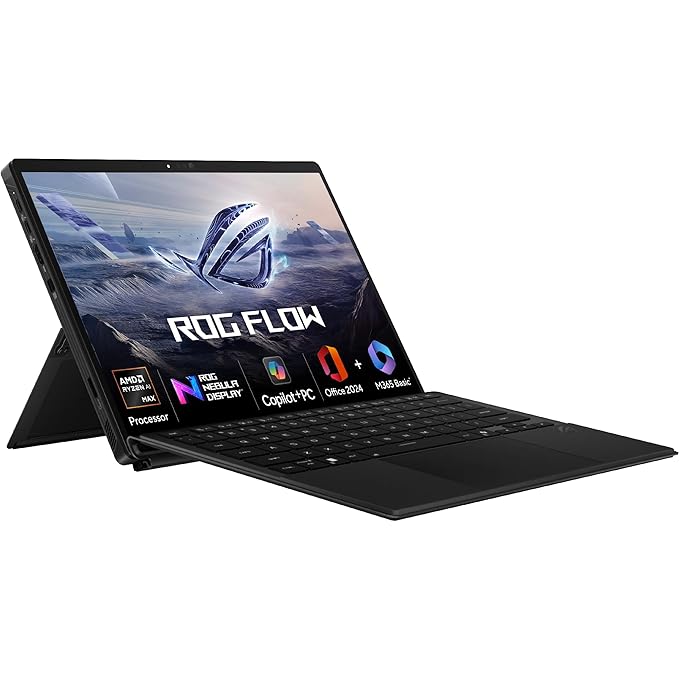
ASUS ROG Flow Z13, AMD Ryzen AI MAX 390 Gaming Laptop (AMD Radeon iGPU/32GB RAM/1TB SSD/2.5K QHD+/13.4″/180Hz/70WHrs/Windows 11/M365 Basic (1Year)*/Office Home 2024/Off Black/1.59 Kg) GZ302EA-RU420WS
₹239,990.00 Original price was: ₹239,990.00.₹199,990.00Current price is: ₹199,990.00.
Category: Laptop
Description
In today’s fast-paced world, a lightweight laptop is no longer a luxury—it’s a necessity. Whether you’re a student, professional, or frequent traveler, having a portable laptop that doesn’t compromise on performance is crucial. This guide explores the best lightweight laptops, their features, pros and cons, buying tips, and how to choose the right one for your needs.
1. Why Choose a Lightweight Laptop
-
Portability: Carry it anywhere with ease.
-
Travel-Friendly: Perfect for flights, cafes, and meetings.
-
Efficiency: Modern lightweight laptops pack powerful processors.
-
Battery Life: Often optimized for long hours on the go.
2. Key Features to Look For
2.1 Weight & Size
-
Ideal: 1–1.5 kg (2.2–3.3 lbs)
-
Screen sizes: 13–15 inches for balance of portability & usability
2.2 Performance
-
Processors: Intel i5/i7 12th/13th Gen, AMD Ryzen 5/7
-
RAM: Minimum 8GB, preferably 16GB for multitasking
-
Storage: SSD (256GB–1TB) for speed
2.3 Display Quality
-
Full HD (1920×1080) minimum
-
IPS or OLED for vibrant colors
-
Anti-glare for outdoor use
2.4 Battery Life
-
Lightweight laptops often offer 8–15 hours
-
Fast charging is a plus
2.5 Build & Design
-
Aluminum or magnesium alloy for durability
-
Slim bezels for modern look
2.6 Connectivity & Ports
-
USB-C/Thunderbolt for high-speed data
-
HDMI or mini DisplayPort for external monitors
-
Wi-Fi 6 & Bluetooth 5.2 for connectivity
3. Best Lightweight Laptops in 2025
3.1 Dell XPS 13
-
Weight: 1.2 kg
-
Screen: 13.4” FHD+
-
Processor: Intel i7 13th Gen
-
Battery: 12 hours
-
Highlights: Sleek design, excellent display, portable
3.2 MacBook Air M2
-
Weight: 1.24 kg
-
Screen: 13.6” Retina
-
Processor: Apple M2
-
Battery: 15–18 hours
-
Highlights: Ultra-slim, silent fanless design, long battery
3.3 ASUS ZenBook 14
-
Weight: 1.3 kg
-
Screen: 14” FHD
-
Processor: AMD Ryzen 7 7735U
-
Battery: 12 hours
-
Highlights: Lightweight, durable chassis, good value
3.4 HP Spectre x360 14
-
Weight: 1.34 kg
-
Screen: 13.5” OLED touch
-
Processor: Intel i7 12th Gen
-
Battery: 10–12 hours
-
Highlights: Convertible design, premium build
3.5 Lenovo ThinkPad X1 Carbon
-
Weight: 1.13 kg
-
Screen: 14” FHD/4K
-
Processor: Intel i7 13th Gen
-
Battery: 13–15 hours
-
Highlights: Robust build, excellent keyboard, business-focused
4. Comparison Table: Top Lightweight Laptops
| Laptop Model | Weight | Screen | Processor | RAM | Storage | Battery |
|---|---|---|---|---|---|---|
| Dell XPS 13 | 1.2 kg | 13.4″ | Intel i7 13th Gen | 16GB | 512GB | 12 hr |
| MacBook Air M2 | 1.24 kg | 13.6″ | Apple M2 | 16GB | 512GB | 15–18 hr |
| ASUS ZenBook 14 | 1.3 kg | 14″ | Ryzen 7 7735U | 16GB | 512GB | 12 hr |
| HP Spectre x360 14 | 1.34 kg | 13.5″ | Intel i7 12th Gen | 16GB | 512GB | 10–12 hr |
| Lenovo ThinkPad X1 Carbon | 1.13 kg | 14″ | Intel i7 13th Gen | 16GB | 512GB | 13–15 hr |
5. How to Choose the Right Lightweight Laptop
5.1 Define Your Purpose
-
Office/Study: Lightweight with good battery
-
Creative Work: OLED/High-res display, powerful CPU/GPU
-
Travel: Slim, durable, long battery
5.2 Budget Considerations
-
Under $1000: ASUS ZenBook, HP Pavilion
-
$1000–$2000: Dell XPS, Lenovo ThinkPad
-
Premium: MacBook Air, HP Spectre
5.3 Brand Reliability
-
Dell, HP, Lenovo – Business & student focus
-
Apple – Ecosystem and reliability
6. Lightweight Laptop Accessories
-
Slim laptop sleeves & cases
-
Portable USB-C hubs
-
Wireless mouse & keyboard
-
Laptop cooling pads for intensive tasks
7. Maintenance & Care Tips
-
Keep away from dust & liquids
-
Avoid placing on soft surfaces (like beds)
-
Update OS & drivers regularly
-
Use battery-saving mode for longer lifespan
8. Pros and Cons of Lightweight Laptops
Pros:
-
Easy to carry
-
Long battery life
-
Modern design
Cons:
-
Less upgradeable
-
Often fewer ports
-
High-performance models can be expensive
9. Frequently Asked Questions (FAQs)
Q1: Are lightweight laptops suitable for gaming?
A: Mostly casual gaming; for heavy gaming, choose laptops with dedicated GPUs.
Q2: How long does a lightweight laptop battery last?
A: Typically 8–18 hours depending on model & usage.
Q3: Are lightweight laptops durable?
A: Premium models use aluminum/magnesium alloy for durability.
Q4: Can I upgrade RAM or storage in a lightweight laptop?
A: Many ultrabooks have soldered RAM; check specifications before purchase.
10. Conclusion
A lightweight laptop is ideal for anyone who values portability without sacrificing performance. Whether you’re a student, professional, or creative, there’s a perfect model for your needs. Focus on weight, battery, performance, and display when choosing, and pair it with the right accessories for a seamless experience.
In today’s fast-paced world, a lightweight laptop is no longer a luxury—it’s a necessity. Whether you’re a student, professional, or frequent traveler, having a portable laptop that doesn’t compromise on performance is crucial. This guide explores the best lightweight laptops, their features, pros and cons, buying tips, and how to choose the right one for your needs.
1. Why Choose a Lightweight Laptop
-
Portability: Carry it anywhere with ease.
-
Travel-Friendly: Perfect for flights, cafes, and meetings.
-
Efficiency: Modern lightweight laptops pack powerful processors.
-
Battery Life: Often optimized for long hours on the go.
2. Key Features to Look For
2.1 Weight & Size
-
Ideal: 1–1.5 kg (2.2–3.3 lbs)
-
Screen sizes: 13–15 inches for balance of portability & usability
2.2 Performance
-
Processors: Intel i5/i7 12th/13th Gen, AMD Ryzen 5/7
-
RAM: Minimum 8GB, preferably 16GB for multitasking
-
Storage: SSD (256GB–1TB) for speed
2.3 Display Quality
-
Full HD (1920×1080) minimum
-
IPS or OLED for vibrant colors
-
Anti-glare for outdoor use
2.4 Battery Life
-
Lightweight laptops often offer 8–15 hours
-
Fast charging is a plus
2.5 Build & Design
-
Aluminum or magnesium alloy for durability
-
Slim bezels for modern look
2.6 Connectivity & Ports
-
USB-C/Thunderbolt for high-speed data
-
HDMI or mini DisplayPort for external monitors
-
Wi-Fi 6 & Bluetooth 5.2 for connectivity
3. Best Lightweight Laptops in 2025
3.1 Dell XPS 13
-
Weight: 1.2 kg
-
Screen: 13.4” FHD+
-
Processor: Intel i7 13th Gen
-
Battery: 12 hours
-
Highlights: Sleek design, excellent display, portable
3.2 MacBook Air M2
-
Weight: 1.24 kg
-
Screen: 13.6” Retina
-
Processor: Apple M2
-
Battery: 15–18 hours
-
Highlights: Ultra-slim, silent fanless design, long battery
3.3 ASUS ZenBook 14
-
Weight: 1.3 kg
-
Screen: 14” FHD
-
Processor: AMD Ryzen 7 7735U
-
Battery: 12 hours
-
Highlights: Lightweight, durable chassis, good value
3.4 HP Spectre x360 14
-
Weight: 1.34 kg
-
Screen: 13.5” OLED touch
-
Processor: Intel i7 12th Gen
-
Battery: 10–12 hours
-
Highlights: Convertible design, premium build
3.5 Lenovo ThinkPad X1 Carbon
-
Weight: 1.13 kg
-
Screen: 14” FHD/4K
-
Processor: Intel i7 13th Gen
-
Battery: 13–15 hours
-
Highlights: Robust build, excellent keyboard, business-focused
4. Comparison Table: Top Lightweight Laptops
| Laptop Model | Weight | Screen | Processor | RAM | Storage | Battery |
|---|---|---|---|---|---|---|
| Dell XPS 13 | 1.2 kg | 13.4″ | Intel i7 13th Gen | 16GB | 512GB | 12 hr |
| MacBook Air M2 | 1.24 kg | 13.6″ | Apple M2 | 16GB | 512GB | 15–18 hr |
| ASUS ZenBook 14 | 1.3 kg | 14″ | Ryzen 7 7735U | 16GB | 512GB | 12 hr |
| HP Spectre x360 14 | 1.34 kg | 13.5″ | Intel i7 12th Gen | 16GB | 512GB | 10–12 hr |
| Lenovo ThinkPad X1 Carbon | 1.13 kg | 14″ | Intel i7 13th Gen | 16GB | 512GB | 13–15 hr |
5. How to Choose the Right Lightweight Laptop
5.1 Define Your Purpose
-
Office/Study: Lightweight with good battery
-
Creative Work: OLED/High-res display, powerful CPU/GPU
-
Travel: Slim, durable, long battery
5.2 Budget Considerations
-
Under $1000: ASUS ZenBook, HP Pavilion
-
$1000–$2000: Dell XPS, Lenovo ThinkPad
-
Premium: MacBook Air, HP Spectre
5.3 Brand Reliability
-
Dell, HP, Lenovo – Business & student focus
-
Apple – Ecosystem and reliability
6. Lightweight Laptop Accessories
-
Slim laptop sleeves & cases
-
Portable USB-C hubs
-
Wireless mouse & keyboard
-
Laptop cooling pads for intensive tasks
7. Maintenance & Care Tips
-
Keep away from dust & liquids
-
Avoid placing on soft surfaces (like beds)
-
Update OS & drivers regularly
-
Use battery-saving mode for longer lifespan
8. Pros and Cons of Lightweight Laptops
Pros:
-
Easy to carry
-
Long battery life
-
Modern design
Cons:
-
Less upgradeable
-
Often fewer ports
-
High-performance models can be expensive
9. Frequently Asked Questions (FAQs)
Q1: Are lightweight laptops suitable for gaming?
A: Mostly casual gaming; for heavy gaming, choose laptops with dedicated GPUs.
Q2: How long does a lightweight laptop battery last?
A: Typically 8–18 hours depending on model & usage.
Q3: Are lightweight laptops durable?
A: Premium models use aluminum/magnesium alloy for durability.
Q4: Can I upgrade RAM or storage in a lightweight laptop?
A: Many ultrabooks have soldered RAM; check specifications before purchase.
10. Conclusion
A lightweight laptop is ideal for anyone who values portability without sacrificing performance. Whether you’re a student, professional, or creative, there’s a perfect model for your needs. Focus on weight, battery, performance, and display when choosing, and pair it with the right accessories for a seamless experience.
In today’s fast-paced world, a lightweight laptop is no longer a luxury—it’s a necessity. Whether you’re a student, professional, or frequent traveler, having a portable laptop that doesn’t compromise on performance is crucial. This guide explores the best lightweight laptops, their features, pros and cons, buying tips, and how to choose the right one for your needs.
1. Why Choose a Lightweight Laptop
-
Portability: Carry it anywhere with ease.
-
Travel-Friendly: Perfect for flights, cafes, and meetings.
-
Efficiency: Modern lightweight laptops pack powerful processors.
-
Battery Life: Often optimized for long hours on the go.
2. Key Features to Look For
2.1 Weight & Size
-
Ideal: 1–1.5 kg (2.2–3.3 lbs)
-
Screen sizes: 13–15 inches for balance of portability & usability
2.2 Performance
-
Processors: Intel i5/i7 12th/13th Gen, AMD Ryzen 5/7
-
RAM: Minimum 8GB, preferably 16GB for multitasking
-
Storage: SSD (256GB–1TB) for speed
2.3 Display Quality
-
Full HD (1920×1080) minimum
-
IPS or OLED for vibrant colors
-
Anti-glare for outdoor use
2.4 Battery Life
-
Lightweight laptops often offer 8–15 hours
-
Fast charging is a plus
2.5 Build & Design
-
Aluminum or magnesium alloy for durability
-
Slim bezels for modern look
2.6 Connectivity & Ports
-
USB-C/Thunderbolt for high-speed data
-
HDMI or mini DisplayPort for external monitors
-
Wi-Fi 6 & Bluetooth 5.2 for connectivity
3. Best Lightweight Laptops in 2025
3.1 Dell XPS 13
-
Weight: 1.2 kg
-
Screen: 13.4” FHD+
-
Processor: Intel i7 13th Gen
-
Battery: 12 hours
-
Highlights: Sleek design, excellent display, portable
3.2 MacBook Air M2
-
Weight: 1.24 kg
-
Screen: 13.6” Retina
-
Processor: Apple M2
-
Battery: 15–18 hours
-
Highlights: Ultra-slim, silent fanless design, long battery
3.3 ASUS ZenBook 14
-
Weight: 1.3 kg
-
Screen: 14” FHD
-
Processor: AMD Ryzen 7 7735U
-
Battery: 12 hours
-
Highlights: Lightweight, durable chassis, good value
3.4 HP Spectre x360 14
-
Weight: 1.34 kg
-
Screen: 13.5” OLED touch
-
Processor: Intel i7 12th Gen
-
Battery: 10–12 hours
-
Highlights: Convertible design, premium build
3.5 Lenovo ThinkPad X1 Carbon
-
Weight: 1.13 kg
-
Screen: 14” FHD/4K
-
Processor: Intel i7 13th Gen
-
Battery: 13–15 hours
-
Highlights: Robust build, excellent keyboard, business-focused
4. Comparison Table: Top Lightweight Laptops
| Laptop Model | Weight | Screen | Processor | RAM | Storage | Battery |
|---|---|---|---|---|---|---|
| Dell XPS 13 | 1.2 kg | 13.4″ | Intel i7 13th Gen | 16GB | 512GB | 12 hr |
| MacBook Air M2 | 1.24 kg | 13.6″ | Apple M2 | 16GB | 512GB | 15–18 hr |
| ASUS ZenBook 14 | 1.3 kg | 14″ | Ryzen 7 7735U | 16GB | 512GB | 12 hr |
| HP Spectre x360 14 | 1.34 kg | 13.5″ | Intel i7 12th Gen | 16GB | 512GB | 10–12 hr |
| Lenovo ThinkPad X1 Carbon | 1.13 kg | 14″ | Intel i7 13th Gen | 16GB | 512GB | 13–15 hr |
5. How to Choose the Right Lightweight Laptop
5.1 Define Your Purpose
-
Office/Study: Lightweight with good battery
-
Creative Work: OLED/High-res display, powerful CPU/GPU
-
Travel: Slim, durable, long battery
5.2 Budget Considerations
-
Under $1000: ASUS ZenBook, HP Pavilion
-
$1000–$2000: Dell XPS, Lenovo ThinkPad
-
Premium: MacBook Air, HP Spectre
5.3 Brand Reliability
-
Dell, HP, Lenovo – Business & student focus
-
Apple – Ecosystem and reliability
6. Lightweight Laptop Accessories
-
Slim laptop sleeves & cases
-
Portable USB-C hubs
-
Wireless mouse & keyboard
-
Laptop cooling pads for intensive tasks
7. Maintenance & Care Tips
-
Keep away from dust & liquids
-
Avoid placing on soft surfaces (like beds)
-
Update OS & drivers regularly
-
Use battery-saving mode for longer lifespan
8. Pros and Cons of Lightweight Laptops
Pros:
-
Easy to carry
-
Long battery life
-
Modern design
Cons:
-
Less upgradeable
-
Often fewer ports
-
High-performance models can be expensive
9. Frequently Asked Questions (FAQs)
Q1: Are lightweight laptops suitable for gaming?
A: Mostly casual gaming; for heavy gaming, choose laptops with dedicated GPUs.
Q2: How long does a lightweight laptop battery last?
A: Typically 8–18 hours depending on model & usage.
Q3: Are lightweight laptops durable?
A: Premium models use aluminum/magnesium alloy for durability.
Q4: Can I upgrade RAM or storage in a lightweight laptop?
A: Many ultrabooks have soldered RAM; check specifications before purchase.
10. Conclusion
A lightweight laptop is ideal for anyone who values portability without sacrificing performance. Whether you’re a student, professional, or creative, there’s a perfect model for your needs. Focus on weight, battery, performance, and display when choosing, and pair it with the right accessories for a seamless experience.
In today’s fast-paced world, a lightweight laptop is no longer a luxury—it’s a necessity. Whether you’re a student, professional, or frequent traveler, having a portable laptop that doesn’t compromise on performance is crucial. This guide explores the best lightweight laptops, their features, pros and cons, buying tips, and how to choose the right one for your needs.
1. Why Choose a Lightweight Laptop
-
Portability: Carry it anywhere with ease.
-
Travel-Friendly: Perfect for flights, cafes, and meetings.
-
Efficiency: Modern lightweight laptops pack powerful processors.
-
Battery Life: Often optimized for long hours on the go.
2. Key Features to Look For
2.1 Weight & Size
-
Ideal: 1–1.5 kg (2.2–3.3 lbs)
-
Screen sizes: 13–15 inches for balance of portability & usability
2.2 Performance
-
Processors: Intel i5/i7 12th/13th Gen, AMD Ryzen 5/7
-
RAM: Minimum 8GB, preferably 16GB for multitasking
-
Storage: SSD (256GB–1TB) for speed
2.3 Display Quality
-
Full HD (1920×1080) minimum
-
IPS or OLED for vibrant colors
-
Anti-glare for outdoor use
2.4 Battery Life
-
Lightweight laptops often offer 8–15 hours
-
Fast charging is a plus
2.5 Build & Design
-
Aluminum or magnesium alloy for durability
-
Slim bezels for modern look
2.6 Connectivity & Ports
-
USB-C/Thunderbolt for high-speed data
-
HDMI or mini DisplayPort for external monitors
-
Wi-Fi 6 & Bluetooth 5.2 for connectivity
3. Best Lightweight Laptops in 2025
3.1 Dell XPS 13
-
Weight: 1.2 kg
-
Screen: 13.4” FHD+
-
Processor: Intel i7 13th Gen
-
Battery: 12 hours
-
Highlights: Sleek design, excellent display, portable
3.2 MacBook Air M2
-
Weight: 1.24 kg
-
Screen: 13.6” Retina
-
Processor: Apple M2
-
Battery: 15–18 hours
-
Highlights: Ultra-slim, silent fanless design, long battery
3.3 ASUS ZenBook 14
-
Weight: 1.3 kg
-
Screen: 14” FHD
-
Processor: AMD Ryzen 7 7735U
-
Battery: 12 hours
-
Highlights: Lightweight, durable chassis, good value
3.4 HP Spectre x360 14
-
Weight: 1.34 kg
-
Screen: 13.5” OLED touch
-
Processor: Intel i7 12th Gen
-
Battery: 10–12 hours
-
Highlights: Convertible design, premium build
3.5 Lenovo ThinkPad X1 Carbon
-
Weight: 1.13 kg
-
Screen: 14” FHD/4K
-
Processor: Intel i7 13th Gen
-
Battery: 13–15 hours
-
Highlights: Robust build, excellent keyboard, business-focused
4. Comparison Table: Top Lightweight Laptops
| Laptop Model | Weight | Screen | Processor | RAM | Storage | Battery |
|---|---|---|---|---|---|---|
| Dell XPS 13 | 1.2 kg | 13.4″ | Intel i7 13th Gen | 16GB | 512GB | 12 hr |
| MacBook Air M2 | 1.24 kg | 13.6″ | Apple M2 | 16GB | 512GB | 15–18 hr |
| ASUS ZenBook 14 | 1.3 kg | 14″ | Ryzen 7 7735U | 16GB | 512GB | 12 hr |
| HP Spectre x360 14 | 1.34 kg | 13.5″ | Intel i7 12th Gen | 16GB | 512GB | 10–12 hr |
| Lenovo ThinkPad X1 Carbon | 1.13 kg | 14″ | Intel i7 13th Gen | 16GB | 512GB | 13–15 hr |
5. How to Choose the Right Lightweight Laptop
5.1 Define Your Purpose
-
Office/Study: Lightweight with good battery
-
Creative Work: OLED/High-res display, powerful CPU/GPU
-
Travel: Slim, durable, long battery
5.2 Budget Considerations
-
Under $1000: ASUS ZenBook, HP Pavilion
-
$1000–$2000: Dell XPS, Lenovo ThinkPad
-
Premium: MacBook Air, HP Spectre
5.3 Brand Reliability
-
Dell, HP, Lenovo – Business & student focus
-
Apple – Ecosystem and reliability
6. Lightweight Laptop Accessories
-
Slim laptop sleeves & cases
-
Portable USB-C hubs
-
Wireless mouse & keyboard
-
Laptop cooling pads for intensive tasks
7. Maintenance & Care Tips
-
Keep away from dust & liquids
-
Avoid placing on soft surfaces (like beds)
-
Update OS & drivers regularly
-
Use battery-saving mode for longer lifespan
8. Pros and Cons of Lightweight Laptops
Pros:
-
Easy to carry
-
Long battery life
-
Modern design
Cons:
-
Less upgradeable
-
Often fewer ports
-
High-performance models can be expensive
9. Frequently Asked Questions (FAQs)
Q1: Are lightweight laptops suitable for gaming?
A: Mostly casual gaming; for heavy gaming, choose laptops with dedicated GPUs.
Q2: How long does a lightweight laptop battery last?
A: Typically 8–18 hours depending on model & usage.
Q3: Are lightweight laptops durable?
A: Premium models use aluminum/magnesium alloy for durability.
Q4: Can I upgrade RAM or storage in a lightweight laptop?
A: Many ultrabooks have soldered RAM; check specifications before purchase.
10. Conclusion
A lightweight laptop is ideal for anyone who values portability without sacrificing performance. Whether you’re a student, professional, or creative, there’s a perfect model for your needs. Focus on weight, battery, performance, and display when choosing, and pair it with the right accessories for a seamless experience.
Be the first to review “ASUS ROG Flow Z13, AMD Ryzen AI MAX 390 Gaming Laptop (AMD Radeon iGPU/32GB RAM/1TB SSD/2.5K QHD+/13.4″/180Hz/70WHrs/Windows 11/M365 Basic (1Year)*/Office Home 2024/Off Black/1.59 Kg) GZ302EA-RU420WS” Cancel reply
Related products
-
Sale!
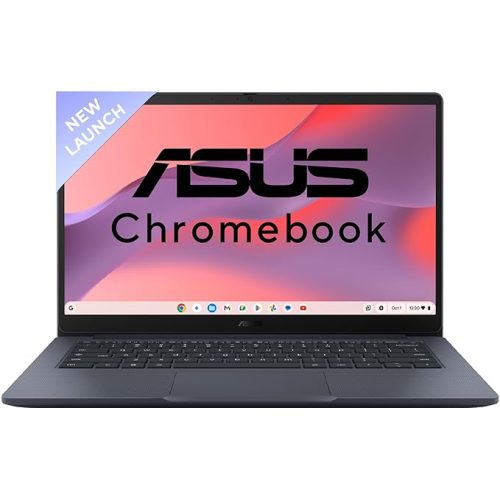
ASUS Chromebook CX1405, Intel Celeron N4500 Processor,Chrome OS, Thin & Light Laptop (Integrated Intel UHD Graphics/8GB RAM/128GB SSD/FHD/14 (35.56 cm)/60Hz/42WHrs/Quiet Blue/1.4 Kg) CX1405CKA-S60394
₹27,990.00Original price was: ₹27,990.00.₹20,990.00Current price is: ₹20,990.00. -
Sale!
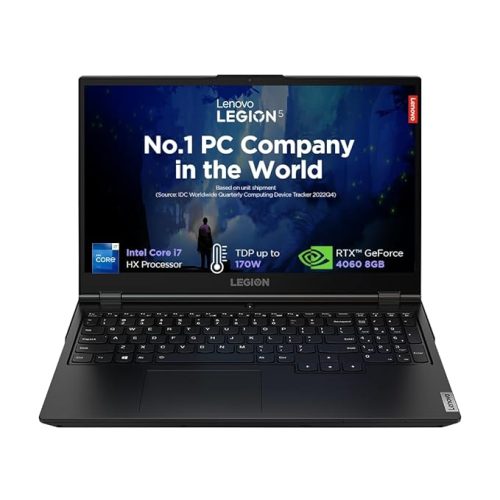
Lenovo Legion 5 2024 13Th Gencore Intel I7-1365012003HX|NVIDIA RTX 4060 8GB(24GB RAM/512GB SSD/15.6″(39.6Cm)/14Hz/FHD IPS/Windows 11/Office Home 2024/3 Month Game Pass/Grey/2.3Kg),83JJ0010IN Gaming Laptop
₹165,090.00Original price was: ₹165,090.00.₹114,490.00Current price is: ₹114,490.00.Select options This product has multiple variants. The options may be chosen on the product page Details -
Sale!
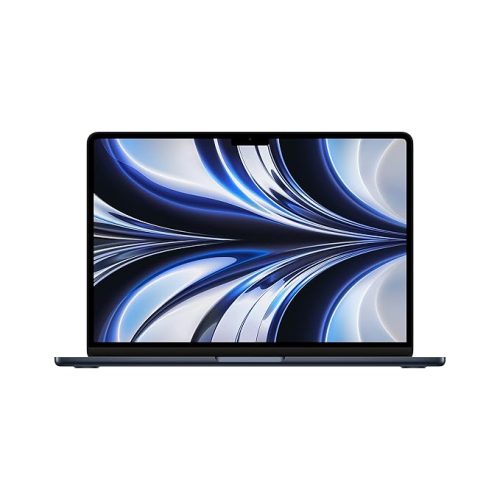
2022 Apple MacBook Air Laptop with M2 chip: 34.46 cm (13.6-inch) Liquid Retina Display, 8GB RAM, 256GB SSD Storage, Backlit Keyboard, 1080p FaceTime HD Camera. Works with iPhone/iPad; Midnight
₹119,000.00Original price was: ₹119,000.00.₹82,990.00Current price is: ₹82,990.00. -
Sale!

acer AspireGo14, Intel Core Ultra5 125H(14thgen) AI Processor,16 GB/1TB, WUXGA IPS, 14.0″/35.56 cm, Win 11 Home, MS Office, Steel Gray, 1.5 kg, AG14-71M,Privacy Shutter,Backlit KB, Premium Laptop
₹87,999.00Original price was: ₹87,999.00.₹61,999.00Current price is: ₹61,999.00.
Reviews
There are no reviews yet.